




BlueFire Semi-Rigid Flexible Wireless Endoscope IP67 Waterproof WiFi Borescope 2 MP HD Resolutions Inspection Camera Snake Camera for Android and iOS Smartphone, iPhone, Samsung, iPad, Tablet (33FT)
Product ID: 80663807
💧IP67 waterproof for rugged use
📶WiFi-enabled wireless freedom
📸2MP HD resolution clarity
Description
🔍 See the unseen, anywhere, anytime!
- 33 FT SEMI RIGID CABLE - Reach deep, tight spaces effortlessly with a flexible yet sturdy 10-meter cable.
- IP 67 WATERPROOF DURABILITY - Dive into wet, dusty, or oily environments with confidence—built to withstand the elements.
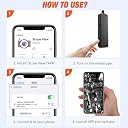
- WIRELESS WI FI CONNECTIVITY - Stream real-time HD inspection directly to your smartphone or tablet—no cables, no hassle.
- RECHARGEABLE LITHIUM ION BATTERY - Long-lasting power included—inspect without interruptions and skip the constant battery swaps.
- UNIVERSAL SMARTPHONE COMPATIBILITY - Seamlessly pairs with Android and iOS devices, including iPhone, Samsung, iPad, and tablets.
The BlueFire Semi-Rigid Flexible Wireless Endoscope is a professional-grade inspection camera featuring a 2MP HD sensor and 33-foot semi-rigid cable. Its IP67 waterproof rating ensures durability in harsh environments, while WiFi connectivity allows seamless streaming to Android and iOS devices. Powered by a rechargeable lithium-ion battery, this borescope is designed for versatile, on-the-go inspections with crystal-clear visuals.

Specifications
| ASIN | B073ZFC59R |
| Are batteries included? | Yes |
| Batteries | 1 Lithium Ion batteries required. (included) |
| Best Sellers Rank | #163,779 in Industrial & Scientific ( See Top 100 in Industrial & Scientific ) #206 in Endoscopes |
| Brand | BlueFire |
| Customer Reviews | 3.9 3.9 out of 5 stars (1,778) |
| Date First Available | 19 July 2017 |
| Item Weight | 470 g |
| Item model number | ZN81BF-AU-123 |
| Lithium Battery Packaging | Batteries contained in equipment |
| Lithium battery energy content | 4.9 Watt Hours |
| Lithium battery weight | 0.85 Grams |
| Model number | ZN81BF-AU-123 |
| Net Quantity | 10.05 Meters |
| Number of lithium ion cells | 2 |
| Package Dimensions | 14.8 x 14.6 x 5.4 cm; 470 g |
Common Questions
Yes, all products are sourced directly from authorized retailers in the US, UK, UAE and India. We maintain strict quality control processes and verify each product before shipping. All items come with applicable manufacturer warranties and are covered by our standard return policy.
Delivery times vary by destination country, typically ranging from 3-9 business days. Each order is fully trackable through our system. We handle all customs clearance and use reliable courier partners for last-mile delivery. You'll receive regular updates about your order status via email and our app.
Desertcart is an international e-commerce platform operating since 2014. We securely process thousands of orders globally each day. Every product goes through our quality verification process before delivery, and we provide end-to-end order tracking, 24/7 customer support, and a comprehensive returns policy to ensure a safe shopping experience.
Our prices include the product cost, international shipping, import duties, customs clearance, and local delivery charges. We handle all customs and import procedures, ensuring there are no hidden fees upon delivery. PRO members receive additional benefits including free shipping.
Trustpilot
TrustScore 4.5 | 7,300+ reviews
Shop Global, Save with Desertcart
Value for Money
Competitive prices on a vast range of products
Shop Globally
Serving millions of shoppers across more than 100 countries
Enhanced Protection
Trusted payment options loved by worldwide shoppers
Customer Assurance
Trusted payment options loved by worldwide shoppers.
Desertcart App
Shop on the go, anytime, anywhere.