

Desertcart purchases this item on your behalf and handles shipping, customs, and support to Sri Lanka.
💾 Power your productivity with storage that keeps up with your ambition.
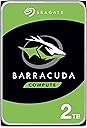
The Seagate BarraCuda 4TB Internal Hard Drive combines massive storage capacity with a reliable 5400 RPM speed and a 256MB cache, delivering smooth, efficient performance for professionals in design, video editing, and gaming. Featuring SATA 6 Gb/s connectivity and backed by 20 years of innovation, it ensures fast data transfer and easy migration with Seagate’s DiscWizard software—all packaged in eco-friendly, frustration-free packaging.


| ASIN | B07D9C7SQH |
| Additional Features | Data Recovery Service |
| Best Sellers Rank | #5 in Internal Hard Drives #31 in Computer Internal Components |
| Brand | Seagate |
| Built-In Media | BarraCuda® 4TB SATA |
| Cache Memory Installed Size | 256 |
| Color | PC |
| Compatible Devices | Desktop |
| Connectivity Technology | SATA |
| Customer Package Type | Frustration-Free Packaging |
| Customer Reviews | 4.7 out of 5 stars 105,009 Reviews |
| Data Transfer Rate | 190 megabits_per_second |
| Digital Storage Capacity | 4 TB |
| Enclosure Material | Aluminum, Glass, Or Ceramic |
| Form Factor | 3.5-inch |
| Global Trade Identification Number | 00763649128220 |
| Hard Disk Description | Mechanical Hard Disk |
| Hard Disk Form Factor | 3.5 inches |
| Hard Disk Interface | SATA 6 GB/s |
| Hard Disk Rotational Speed | 5400 rpm |
| Hard-Drive Size | 4 TB |
| Hardware Connectivity | SATA 6.0 Gb/s |
| Hardware Platform | PC |
| Installation Type | Internal Hard Drive |
| Item Dimensions L x W x Thickness | 5.79"L x 4"W x 0.79"Th |
| Item Type Name | Seagate BarraCuda Internal Hard Drive 4TB SATA 6Gb/s 256MB Cache 3.5-Inch - Frustration Free Packaging (ST4000DM004) |
| Item Weight | 14.72 ounces |
| Manufacturer | Seagate Bare Drives |
| Media Speed | 4 TB |
| Mfr Part Number | ST4000DMZ04 |
| Model Name | ST4000DMZ04 |
| Model Number | ST4000DMZ04 |
| Number of Items | 1 |
| Read Speed | 190 megabytes_per_second |
| Special Feature | Data Recovery Service |
| Specific Uses For Product | business, personal |
| UPC | 763649128220 |
| Unit Count | 1 Count |
| Warranty Description | 2 Years |
D**E
Great for storing media files. Decent speeds.
Bought the 4TB to hold a bunch of pirated media. My previous media drive , a 2tb SSD, died recently and I was looking to also expand the drive size. I forgot how big in dimensions these older type of drives are. This thing is a beast. Hefty. Since I only needed a drive to store movies, books, music and such, I didn't need a fast drive. But honestly this seems to be fine for data transfer. It's actually a lot faster than I was expecting. Less than a minute for a few gigs. I can run torrents and I've not seen any slow down from using this drive compared to my last one. I use this in a desktop PC with a big tower with a rack for these type of hard drives so I didn't have any issue getting it to fit or connect. This one was like 100$ less than a 2Tb SSD. Since it's a disk drive I wouldn't recommend packing it around a lot but it's great for a PC or extra home storage. Save your media while you still can before it disappears off the Internet or gets edited with ai nonsense.
I**S
Perfect for combining multiple hard drives of data.
The Seagate ST8000DM008 BarraCuda 8TB is a standard 3.5-inch internal hard drive designed for mass storage needs in desktop computers. In this unbiased review, we will assess its various aspects to provide a comprehensive overview. **Storage Capacity (4/5):** With a whopping 8TB of storage space, the BarraCuda offers an abundance of room to store your files, games, and media. It's an excellent choice for users who require extensive storage for large media libraries, backups, or extensive data. **Performance (3/5):** The BarraCuda 8TB is primarily designed for storage purposes, so it's not as fast as SSDs or high-performance hard drives. It operates at 5400 RPM, which is a bit slower compared to 7200 RPM drives. While it provides decent performance for sequential data transfers, it may not be the best choice for tasks that demand quick access times or frequent data retrieval. **Reliability (4/5):** Seagate, as a well-established manufacturer, has a history of producing reliable storage devices. The BarraCuda series is known for its durability and dependability. However, like all mechanical hard drives, it is subject to wear and tear over time, and there is always a risk of failure. It's advisable to have proper backups in place when using any mechanical drive for important data. **Noise Levels (3.5/5):** The BarraCuda 8TB is relatively quiet during regular operation but can produce some noise, especially when accessing data. This may not be an issue in a desktop setup but could be noticeable in a quiet environment. **Installation (4/5):** Installing the BarraCuda is a straightforward process. It utilizes the standard 3.5-inch form factor, making it compatible with most desktop systems. Users with basic knowledge of PC hardware should have no trouble fitting it into their setup. **Value (3.5/5):** In terms of cost per gigabyte, the BarraCuda 8TB offers a reasonably good value, especially for users who require a large amount of storage space. However, it's important to remember that the price of SSDs has been steadily decreasing, and if you value performance and responsiveness, you might consider investing in a smaller SSD for your primary storage and supplementing it with a secondary HDD like the BarraCuda for mass storage. **Conclusion:** The Seagate ST8000DM008 BarraCuda 8TB is a capacious internal hard drive, well-suited for users with substantial storage needs, such as media enthusiasts, content creators, or those who require extensive backups. It offers reliability, straightforward installation, and decent value in terms of storage capacity. However, it is not the fastest drive on the market, and its performance may not meet the expectations of users who prioritize speed and responsiveness. Consider your specific storage requirements and performance expectations before deciding if the BarraCuda 8TB is the right choice for your computing needs.
S**E
Large capacity in a good price. Should last for another 7-10 years.
In short: I’m an IT guy and I find this drive highly recommended for local storage at home. I have many Barracuda Seagate disks of an old models and very happy with their performance and durability and they serve me for years… If you don’t like the idea of storing your precious data in the cloud (safe and sound as it may seem) then managing a local storage is the way to go. And these Barracuda Segate 4TB drives are great for that purpose as they have enough capacity for most users while their price tag is affordable. Keep in mind that having local disks require maintenance, and that hard drives do fail when they wear out – it’s not IF they fail but more of WHEN, as they all die eventually; even the enterprise level ones. So if you consider the route of a local storage \ backup server then you’d better make a backup plan in advanced for redundancy – if you only need 1 drive for your data then buy 2 drives. If you need 2 drives then go with 4. And so on… The rule is to always have an exact copy of your data in 2 separate (physical) places, either by manual copying between disks, or for the advanced users between us to setting up a RAID 1 array for automatic clone (mirror) of one disk to the other; even if it costs somewhat more (if not doubled) at first, in the long run when one of your precious disks fail you’d be very happy that you had a backup. So besides of the loss of the actual disk, your data is safe and sound since it is stored on the second disk you aimed in advanced for this very scenario. And in such scenario it’s a good time to go shopping right away for a new drive to replace the one that failed, since you no longer have redundancy once one had failed. And when it arrives don’t challenge your fate and waste time - go ahead and copy all your data from the backup drive to it to have redundancy once again. My own story and experience: I have many Barracuda Seagate disks. About 10 actually. From my experience with mechanical drives and with Seagate brand in particular is that they *last for about 7-10 years. And when we speak on mechanical hard drives it's quite good. I had an old Seagate disk I stored data on, which was about 7-10 years old, and it failed about 2 weeks ago. I'm very glad that I spent some extra when I bought it and purchased a second one to serve me as a backup. So besides of the actual disk that died I didn't lose any data. This one came to replace it and I’m writing this review while it copies my data from the backup drive. I trust that it will give me another 7-10 years of quiet before it fails too. I'd recommend to check your disks health every now and then and to pay attention for any "clicking" sound from your computer case - even after my rich experience as an IT guy I fell for that very scenario because I was too busy to open my computer case and check where the clicking sound had come from, and thought that it's just from a dying fan... If I was paying more attention and take responsibility I'd probably replaced the disk before it finally died. There are many free tools out there that you can use to check your drives health and to let you know in advanced when a disk shows bad signs and needs a replacement. I'm using CrystalDiskInfo and I set it to launch at startup. So every time I restart my machine it pops-up and shows the actual disks health. *Hard drives will last depending on the user's usage. If you're only storing files on them for accessing later then they will more likely last longer. On the other hand if it's your "scratch disk" for video editing or you create and delete huge amount of data on it on a daily basis and the drive is under a heavy load then it may last less. It also depends on the environment the hard drive is located and the airflow in your computer case. Here are some tips as an IT guy: carefully clean your computer case interior from dust with air spray cans or oil-free dental compressor every 3-4 months. Make sure all fans in your case are working correctly – ventilated computer case will make your entire system and disks to last longer and to perform better; computers don’t like heat. Don’t keep computers in cabinets that have no airflow from the front and back. Don’t force shutdown your computer by holding the power switch unless it’s your last result (if let’s say it hanged or crashed). If you take these tips into consideration then your hard drives will last longer.
A**T
Excellent Choice. Same Service Is Expected. Easy At Home Upgrade.
Replaced the Seagate BarraCuda 1 TB in my Dell Inspirion Desktop with this Seagate BarraCuda 2 TB. Easy to do swap. Lots of manufacturer details with necessary images on the procedure is online in addition to many videos. Did not need a video. First make sure you do a CLONE of your existing DATA HDD on the new HDD. I used an Insignia (Brand) Dual Drive Docking Station. Made it easy to do; looks like a small toaster. I chose this HDD as it is same brand and type of HDD of my original HDD in the desktop. The original Seagate BarraCuda 1 TB has served me well for four years without any issues of reliability, power consumption, no heat or other issues. This HDD upgrade was a perfect fit and the four mounting screws and the two connections were 100% same positions. Just as quiet as the original 1 TB; just 2 TB. I fully expect the same service as my original HDD. All I needed to swap it out was a medium sized Phillips screwdriver for all screws. Excellent choice.
E**S
Good Bulk Storage Drive, But Not for Speed-Demanding Tasks
Good Bulk Storage Drive, But Not for Speed-Demanding Tasks The Seagate BarraCuda 4TB is a solid, budget-friendly option if you need a lot of space in a desktop PC. I’ve used several of these drives over the years, mainly for mass storage of media files, backups, and general data. At this price point, you get reliable capacity without breaking the bank. Installation is straightforward—it’s a standard 3.5" SATA drive, so as long as your case has a bay and your PSU has a SATA power connector, you’re set. Seagate’s DiscWizard software also makes cloning an old drive onto this one relatively painless if you’re upgrading. Performance is what you’d expect from a 5400 RPM HDD: perfectly fine for general storage, but not ideal for heavy workloads like video editing, running games directly, or OS installs. You’ll notice slower load times compared to SSDs or even 7200 RPM drives. Still, with a large 256MB cache, it handles streaming media and bulk file transfers decently. Reliability has been good in my experience. I’ve had these run 24/7 in desktops and home servers for years without failure, though like any mechanical drive, they can be hit-or-miss—so pairing them with a backup strategy is important. Bottom line: A dependable, high-capacity storage drive at a fair price. Best suited for bulk storage, backups, and media libraries—not as a primary drive for speed-intensive tasks.
C**G
Second Purchase
NEWS FLASH! Any drive you buy from any manufacture will never be the full advertised size! This is normal! 2TB drive will be 1.81TB in reality. I see so many reviews complaining their drive isn't the full amount advertised. ITS BEEN LIKE THIS FOR YEARS!! They round up. So set your expectations that you will never get the full advertised amount! This is the second 2TB Seagate drive I bought. First one years ago and its still working fine. I mostly use for storage + media server (I know I should use NAS). Previous price was $54.99 and now its $71.99 so I bought before the price goes up even more since tech companies in 2025/2026 has the new motto of screw the consumer its all about AI companies. Windows 11 had a hard time finding this drive (using a USB dock) It refused to show up in Disk Manager and Device Manager but it was viewable using DISKPART in command prompt (google or chatGPT if you have this issue chances are its not DOA or anything wrong, blame Microsoft). I was able to give it a volume label and format it there then it shows up (makes me wonder how many bad reviews have been posted stating it was DOA when it wasn't) Ive done a 45gb transfer test as well as CrystalDiskMark tests (screenshots attached). I for some reason was expecting the write speeds to be half of what they were so pleasant surprise. Guess its good to set expectations low haha. So both old and new drive seem to be good to go, if something changes I will update my review.
D**Y
Great Storage
Perfect for my storage needs in my NAS
C**G
Good buy
Installation and formatting were completely hassle-free. The drive has been functioning flawlessly for the past month. Overall, it's an excellent value since it was priced lower than my local Micro Center.
K**P
Excelente.
Espaço top para guardar meus gameplay em 4k, indicado para coldstorage.
C**L
Harika orjinal Seagate box paket içinde geliyor.
Model numarasındaki ST8000DMZ04 farkı 75x155x230 Seagate box paket olarak geldiği için değişmiş. Yoksa bilinen ST8000DM004'ten bir farkı yok. Gayet sağlıklı bir şekilde elime ulaştı. Tavsiye ederim....
A**M
Item received and working 100%
I was a bit worried when the HDD arrived and the box was dented (signs of 'mishandling'). Did a validation (unRAID preclear) which ran over 49hours to test each sector of the hardisk and I am glad that it pass 100%! Note: Got this at a very good price but remember this is SMR disk. It fits my purpose for archiving data. IF you are using this as a NAS (e.g. in synology NAS) you are better off looking for a CMR disk (google the difference). Putting this disk for RAID purpose will be a disaster! Take note.
C**N
je recommande
très bonne qualité
A**R
HIGH SPEED
VERY GOOD
Trustpilot
3 weeks ago
3 days ago