🎮 Elevate Your Game with MSI's MEG Z390 ACE!
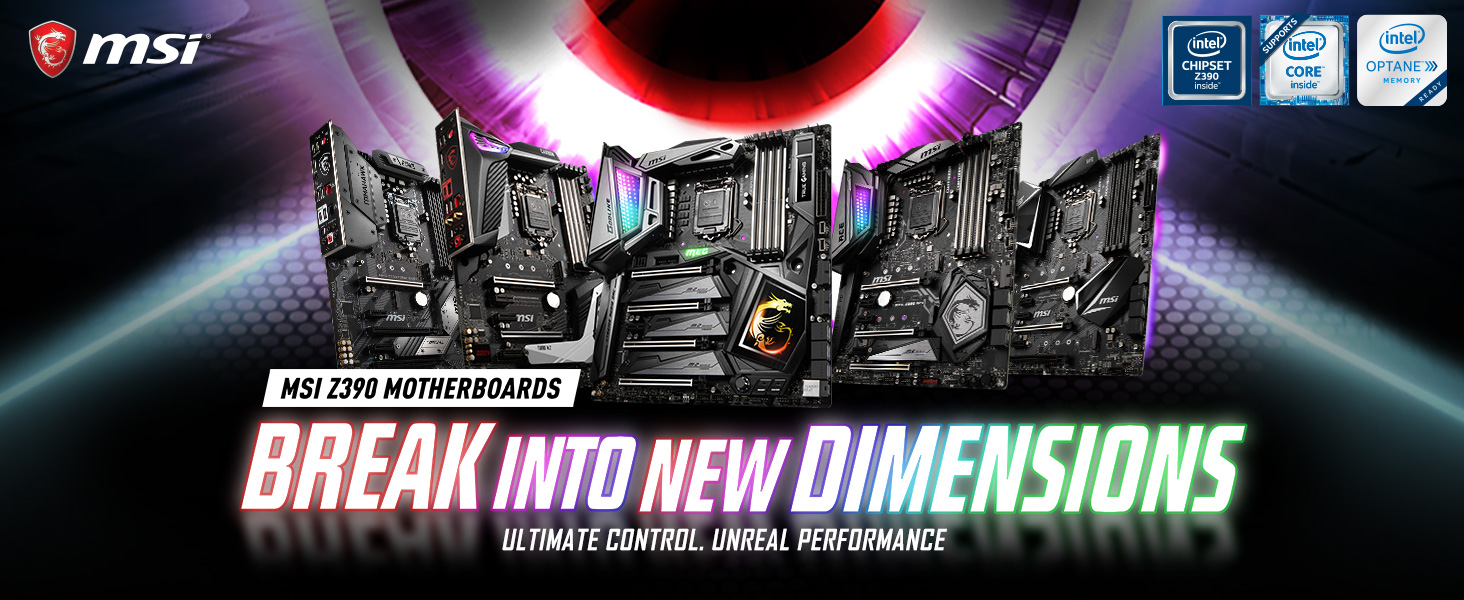
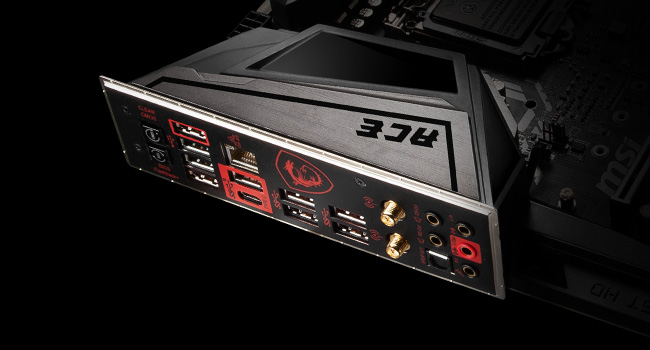
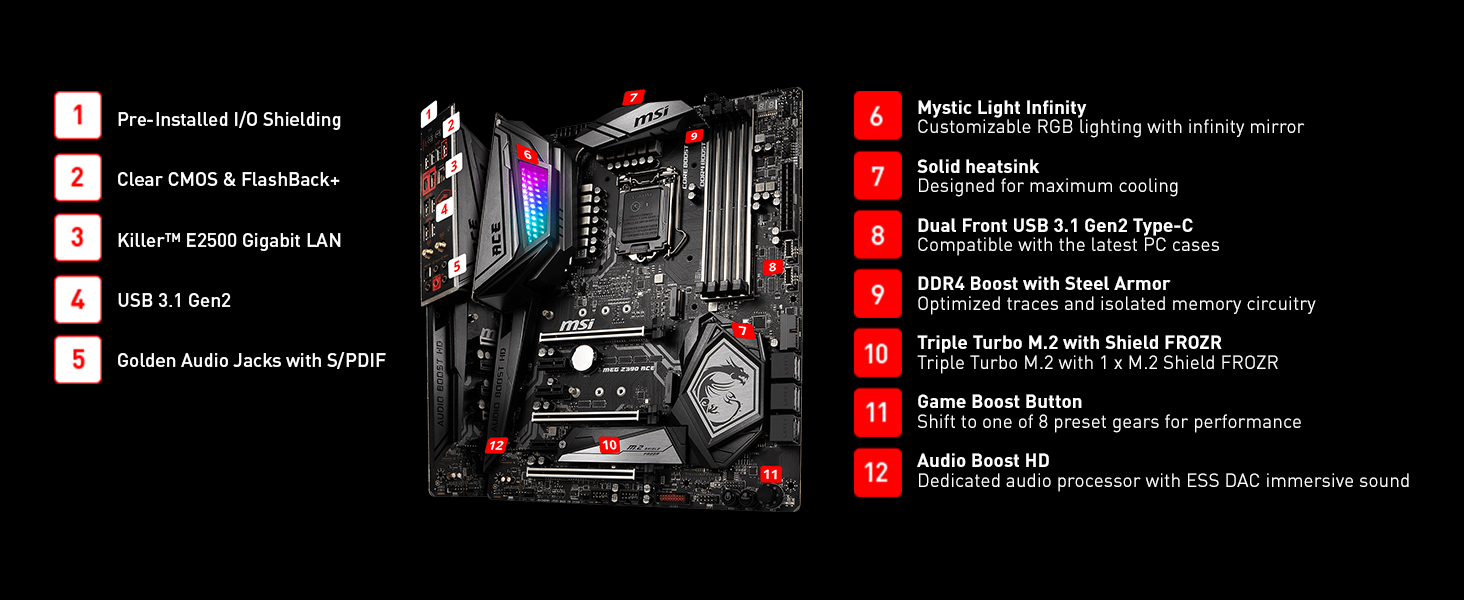
The MSI MEG Z390 ACE is a high-performance ATX gaming motherboard designed for Intel's 8th and 9th generation processors. It features dual channel DDR4 memory support up to 4600 MHz, advanced networking capabilities with Killer E2500 LAN and Intel 802.11AC Wi-Fi, and customizable RGB lighting with Mystic Light Infinity. Perfect for gamers and overclocking enthusiasts, this motherboard combines speed, style, and connectivity.






| Processor | pentium |
| RAM | DDR4 |
| Memory Speed | 4600 MHz |
| Wireless Type | 802.11a/b/g/n/ac |
| Number of USB 2.0 Ports | 2 |
| Brand | MSI |
| Series | MEG Z390 ACE |
| Item model number | MEG Z390 ACE |
| Item Weight | 3.3 pounds |
| Product Dimensions | 12 x 9.6 x 1.2 inches |
| Item Dimensions LxWxH | 12 x 9.6 x 1.2 inches |
| Computer Memory Type | DDR4 SDRAM |
| Voltage | 0.01 Volts |
| Manufacturer | MSI Computer |
| ASIN | B07HM3M86B |
| Is Discontinued By Manufacturer | No |
| Date First Available | October 1, 2018 |
K**E
Best Motherboard I could find!
First off I have been building my own personal computers since 1983 or so. By far this motherboard tops them all and not just because it has the latest and greatest features, but the fact that the quality and supplied software is very good. I read and read motherboard reviews before settling in buying the MSI Ace. I am sure you are also reading reviews. One major differentiation between MSI and competing motherboard suppliers is their BIOS software. It is frustrating having terrible BIOS software that is either not intuitive or is 'buggy'. I have had 10's of motherboards from other major manufacturers and was never satisfied with their BIOS software. Even if you can find a competing motherboard that may eke out one percentage faster OC capability but has sub par BIOS software, it just is not worth the purchase in my opinion. It seems like I read millions of motherboard reviews and the vast majority of them overlook the software aspect. I did find one review where the guy said he thought the MSI software was 'OK', but I have been using it for the past week, and I love it. From what I have read MSI has been standardizing on their BIOS software vs developing something brand new every time they come out with a new motherboard which to me means they can spend their time fine tuning their existing software. My build consisted of a MSI Ace Motherboard, i7-9700K Intel Processor, XFX Over Clocked 580RX Video Card, 32GB Corsair Vengeance 3200MHz DRAM, WD Black 500GB m.2 drive, 4TB WD Hard Drive, 500GB Samsung SSD from my prior build, Corsair 570X Crystal Series Glass Mid Tower Case (which is also awesome), a Corsair H115i liquid cooler, Corsiar LL series RGB fans and RGB Light Strips. I absolutely love my system. I was able to easily overclock the processor to 5.2GHz, but settled at 5.1GHz to allow a little headroom. BTW, MSI has an excellent Overclocking guide for the I9 and I7-9700K processor installed on a MSI motherboard. A must read if you want to Overclock. I only have my CPU Core voltage at 1.310 at 5.1GHz, so if you start with the guides recommended 1.37V setting and your overclock works then keep backing down the voltage by .100 volt until your system becomes unstable. Then set the Core CPU voltage to .200 or .300 volts higher than the unstable voltage so you aren't running on the ragged edge. This is what I did on my system and I have been doing some heavy gaming, etc. with zero heating or software problems. Other thoughts: All the MSI Z390 boards (i.e., Ace, Pro Carbon, Gaming Edge, Godlike, etc.) seem to be similar except for variations in power supplies and USB, Wi-Fi, etc. I choose the Ace due to all of the USB connectors and its 13 phase power supply. I don't think you could go wrong with any of the other MSI motherboards. The i7-9700K processor is great with zero complaints. All of the Corsair products work great. My only partial regret is not going to at least a 2070 or higher series graphic card. No complaints on the 580X with an AMD processor, but just not fast enough for me. My reasoning for not biting the bullet on a +$600 Graphics Card is this: I am attending the 2019 CES show in a couple of weeks and I want to see what's up with AMD's upcoming offering to compete with NVIDIA. Rumors are AMD's new GUI's are going to kick butt, and be less expensive. I know you can spend the rest of your life waiting to pull the trigger on buying a cutting edge Graphics Card, but this time I decided to wait, right or wrong. Since I like my MSI motherboard so much, I will probably end up replacing with a MSI Graphics card. Presetly my system can play most games on Medium or High Setting with FPS varying from 30 to 80 at a 1920 x 1080 resolution. I use a 34" wide Dell 3415W monitor that supports up to 3440 x 1440 resolution, and not being able to take advantage of the monitors full resolution keeps me up at night. LOL So, I am hoping in the next few months their will be a sub $500 MSI graphics card that will allow me to play almost all my games at High or Ultra High settings on my monitors max 3440 x 1440 resolution setting at 50FPS or better. I want to be able to go full throttle for a few years without having to upgrade again. Tips: If you can't get your wireless mouse to work with the MSI BIOS then plug in a corded USB mouse. I had to do this, though you can use the keyboard to navigate the BIOS without a mouse, just slower for me. Also, you can like or dislike Corsair, but I like their products. Their documentation is sometimes lacking and their pricing a little high, but their quality and breadth of computer kit building hardware is excellent. It's nice to have a company who still sells products for the home PC builder! I built this computer on my kitchen counter height island which is much easier than building on the floor like I have previously done with other computer builds. Just clear off the counter, it is worth it. Big Tip: If you use the Corsair H115i cooler, the MSI Ace Motherboard, and the Corsair 570X case the cooling radiator will NOT fit on the inside TOP of the case. And, since the radiator is supplied with (2) 140mm LL Series fans, and the top of the Corsair case is the only spot for (2) 140mm fans this creates a big problem, or so I thought. There is not enough room due to the radiator and fan combination interfering with the Motherboard. Needless to say when I discovered this I was in disbelief especially after planning every last detail of my build, plus I already had the Motherboard installed in the case and wired up. I searched the internet for a couple of hours and could not find an easy solution. Some people went to extreme measures to make this combination work, but I didn't want to do any drilling on my brand new case! But, after a couple of beers and staring at my case for a few minutes I found my answer: Mount the radiator on the front of the case. This was fairly simple,; however, you will need to swap the flat metal plate that holds the (3) fans on the front of the case with the plate on top of the case that is made to hold (2) fans. I am not sure if Corsair made the case to be able to do this, but nonetheless it works. Because I wanted to see my funky RGB fans when viewing the front of the case I attached the (2) LL Series Corsair fans that came with the H115i cooler to the front of the case, THEN I mounted the radiator on top of the fans with the supplied longer Corsair screws. As far as the airflow, there should be very little difference. Just make sure the (2) Radiator fans and the Top (3) Case fans are blowing air out of the case. I ended up putting a single LL series RGB 120mm fan on the rear of the case with the air blowing into the case. This is probably not needed, but it looks pretty darn cool. Last tip: Go for it. When it comes to finally pulling the trigger on all the components for your new computer build don't let a few hundred bucks get in your way. Look at it this way, just cut out a few nights out on the town and use the savings to stay home and admire your PC. Yes, you qualify as being a little nerdy, but no one will know. LOL Update 9/8/2019: I am still loving this motherboard and have had Zero problems. One tip I can pass along is to make sure you keep the Killer Network software up-to-date. I still haven’t purchased a 2080 video card, but one is still on my list if the prices ever drop! As far as gaming I have been using my Xbox on a 75” UHD TV with a 5.1.4 Atmos sound system. I like this gaming setup better so really no need for super fast graphics on PC, at least for me.
M**Y
MSI nailed it
I've had good luck with MSI boards in the past, so decided to stick with them for my Z390 build. I'm glad I did, as this is easily the best board I've built a system around. Install was super smooth, I really appreciate having an on board power and reset button for testing the system before installing in the case. I also was impressed by the thermal cooling on the M.2 slot, it's more robust than I was expecting. Shout out for the infinity mirror too, I didn't think I was a sucker for the RGB craze but now I'm coming around to it. This is a pretty tasteful implementation that looks cool without being too over the top. Oh, and this thing overclocks like a champ, I've got a 9700k stable at 5.3GHz. No issues whatsoever.
S**N
Amazing Motherboard
This is my second MSI branded motherboard for the Intel lineup, and wow just wow. I thought my Z270 Gaming m7 was the cats meow, this one is over the top as well. Packed full of all the features you need and may not need lol. Had some initial issues getting her up and running but I'm 99% sure it was some of my older equipment I was transferring over. Once I got it sorted out it was all over. windows installed like a champ and I was off to the races installing my drivers, games and apps. All the included accessories were there and easy to identify and install. I paired mine with a 9600K due to $$$ constraints but I couldn't be happier, its running 4.7Ghz on all cores by simply bumping all core setting and locking the vcore at stock which is about 1.225 volts. My only con is the cd disk lol come on guys its the 21st century lets start putting drivers on a flash drive. And make it update-able via the MSI support site. This will make it super easy for re-installs. If your looking for a great bang for the buck motherboard for the current gen of Intel processors take a long look at this badd boy and put it on the top of your short list. Its simply amazing.
K**4
Good Motherboard Z390 ACE
I've been buying MSI products for a number of years now because of the value for the money, the build quality, and the features included with their product. I just upgraded my computer from an MSI Z97 Gaming 7 to the MSI MEG Z390 ACE. The whole process went smoothly, and I haven't had any issues so far. I looked at a number of other motherboards from both MSI and other manufacturers. I decided to go with MSI again, because I've had pretty good luck with their products so far. The few occasional problems or questions that I've had, have been solved pretty quickly. I picked this motherboard specifically for the features that it had. I liked having both wireless and a wired NIC. I also bought this one specifically because I like the Killer NIC that was in the Z97 board I had before, and wanted to keep using the same one. I'm not sure it actually makes any real difference, but I like the interface and all the options that are available. Overall I'm happy with my purchase, and will continue to use MSI products in the future. I think this is a good value for the money, and should last me a long time.
D**.
After a frustrating experience on eBay, where I tried to save £100 on a similar motherboard, Amazon and this seller restored my faith in buying quality used PC components and peripherals. The eBay board arrived late, missing basic protections like a pin cover, and had loose screws, scratched components, and even a screwdriver jammed into the pins – a nightmare, to say the least. This Amazon board, however, was a completely different experience. It arrived immaculately packaged, with an outer box protecting the original motherboard box, which looked brand new despite the board being a few years old. Every detail was carefully considered: the CPU slot had a pin protector, and all accessories were bagged up as if it were a brand-new purchase. Absolutely thrilled with the quality and attention to detail. Thank you so much! I’ll definitely be buying from Amazon and this seller again. Highly recommended!
B**7
Beast of a motherboard, running an i9 9900k at a stable 5.1 overclock, the BIOS has switchable overclocks as well, great build quality as well dropped it by accident inside the case while placing the screws on the standoffs, not a scratch.
K**R
Likes - Great features (more than enough ports and peripheral space for typical use) - Easy to overclock - Great bios (this is from someone coming from a previous ASUS bios) - Onboard LCD also shows realtime CPU temp, which is very handy - Had no issues removing M2 screws unlike many other commenters. They key is to use the right screw driver head, and it comes right off easily. Dislikes - Packaging was a bit cheap (Asus do a much better job with packaging). - MBD felt a bit too light with a little too much flex in the center of the board. It would have been better if MSI had reinforced the board to reduce flex, especially for heavy dual GPU setups. - No MBD RGB backlight (personal asthetic taste, might not appeal to others). Overall, I am very very pleased with the MSI z390 MEG. It is half the price of a Godlike, whilst providing over 75% of the same features.
A**Y
a friend of mine suggested MSI, this MOBO is designed to OC the CPU to it's max (5.2 GHz on my 9900K) which is great but it was doing it with even within windows (like normal usage) that means a lot of heat even my D15 cooler couldn't keep up and was getting alot of BSOD and random restart till I manually adjust the BIOS . but my main 2 reasons for 3 stars it was audio I tend to use front panel audio for my headset and back for sound system MSI doesn't allow to switch between them within windows sound control you need to through their 3rd party software called Nahimic 3 and even that it doesn't register as front/ back panel audio it's called front panel pop notification. So I though I was doing something wrong and tried different steps for troubleshooting then I gave up and wrote to MSI and they responded and I quoting (it's normal that the way you should use it). and the second reason was the killer networking adapter it was a nightmare frequently dropping connection during games only which is kinda annoying when I switch an external network adapter the issue disappeared and the funny thing it was only during gaming I did an extensive usage like copying files and streaming creating VM's on my NAS no issue occurred. So maybe mine was defective but other than those two reasons this MOBO is great value for the it's price and mystic light has a lot of effects (if you are into RGB) BIOS was some what easy to navigate (although i'm used to Asus's)
S**G
I am used to Asus and ASRock boards, but I wanted to take a chance on a company that actually has a local support centre in Canada IF I ever had to do an RMA. This time, I went with the MSI Meg Z390 and very happy with how things worked out. No problems with installation or firmware upgrades, overclocking guide provided by MSI was also an excellent starting place to get the 9900k stable at 5Ghz ALL core overclock with no stability issues. I also wanted to do a custom water cooled system, and EKWB had a monoblock for this motherboard that made overclocking a breeze. So happy with this build, I think I might try a MSI X570 Meg Ace for my next build :).
Trustpilot
2 days ago
3 weeks ago