
DOWNLOAD THE APP


Customer Services
Copyright © 2025 Desertcart Holdings Limited
DOWNLOAD THE APP





🔗 Connect like a pro—HD clarity meets rugged reliability!
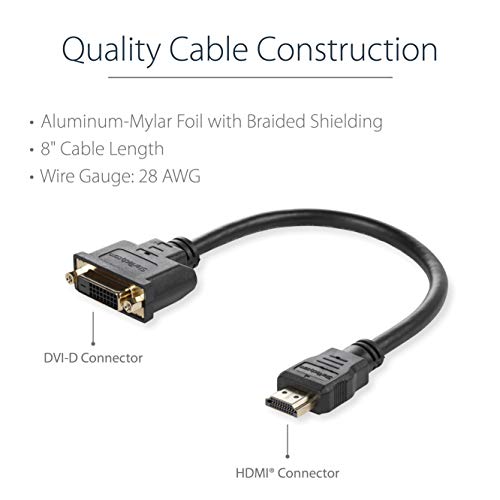
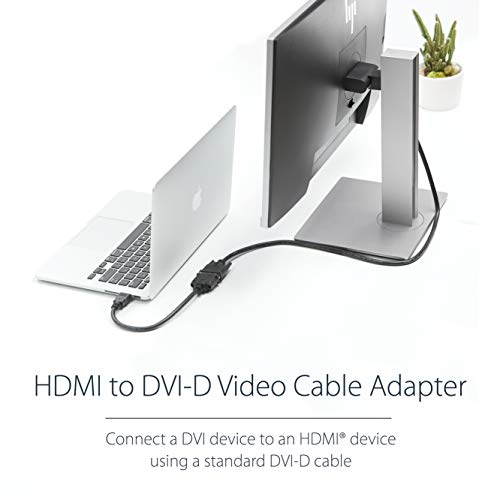
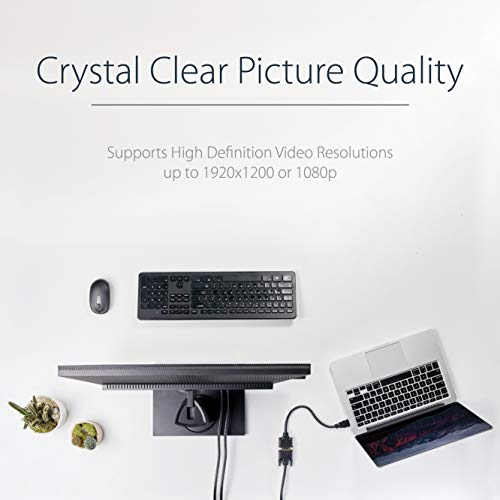
The StarTech HDDVIMF8IN is an 8-inch HDMI male to DVI-D female video cable adapter designed for seamless high-definition video transmission. Its compact, sturdy design requires no batteries or drivers, making it an essential, plug-and-play accessory for professionals seeking reliable connectivity between HDMI and DVI devices.


| ASIN | B009YCASUW |
| Are Batteries Included | No |
| Brand | StarTech |
| Colour | Black |
| Customer Reviews | 4.6 4.6 out of 5 stars (3,680) |
| Date First Available | 26 October 2012 |
| Generic Name | Video Cable |
| Included Components | 1 8in HDMI to DVI-D Video Cable Adapter - M/F |
| Item Dimensions LxWxH | 20.3 x 4.1 x 1 Centimeters |
| Item Height | 0.4 Inches |
| Item Weight | 36 g |
| Item Width | 1.6 Inches |
| Item model number | HDDVIMF8IN |
| Manufacturer | STARTECH.COM |
| Net Quantity | 1 Count |
| Product Dimensions | 20.32 x 4.06 x 1.02 cm; 36 g |
| Series | 8in HDMI® to DVI-D Video Cable Adapter,HDMI Male to DVI Female |
| Standing screen display size | 8 Inches |
S**A
Four Stars
Quite rugged and sturdy.
S**N
Fonctionne très bien
B**A
Genau wie beschrieben und schnelle Lieferung!!!
D**E
Ottima fattura,usato per un monitor tv LG dove ho collegato un pc. Funziona alla grande.
L**8
This works as well as it possibly can. I'm using it with a 3440×1440 display at 60Hz. However, let me say a few words on dual-link DVI (DL-DVI) support, because there is plenty of confusion and the answer is more complicated than it seems at first blush. Technically speaking, this adapter does NOT support DL-DVI connections. It physically cannot — no passive adapter like this ever can — because the HDMI interface doesn't have the signal lines that are used by DL-DVI's second link. HDMI is single-link only. There is simply no way to wire it up without using active logic in the adapter to combine the signals of the two links, which would drive the cost of the adapter way up. If one holds strictly to the DVI and HDMI specifications, then this adapter can only adapt signals which both DVI and HDMI specs allow — that is, video-only signals (no audio) at 165MHz or lower, which means the supported resolution tops out at about 1900×1200 60Hz. But therein lies the rub, because many modern-day video cards can CHEAT and disregard the specification. When such a video card detects an HDMI display attached to a DVI port, it switches to HDMI signalling over the first DVI link. That permits things such as audio and, more importantly, signals above 165MHz to be sent over the single DVI link (in contravention of the DVI spec). The display, which is expecting an HDMI signal, will happily accept it. My own video card (a Gigabyte GTX 660) does this. The video card drivers have a say. In Windows, it worked pretty much immediately. In Linux, it seemingly couldn't at first (and I was seeing only half the pixels on screen because the signal being output was dual-link but only the first link signal was making it to the display; an interesting view) but a driver update fixed it. So, if you're asking if your high-resolution display will work with this adapter, then your question should actually be, "Is my video card a rebel?" Unfortunately, this can be a hard answer to find. It definitely seems to be a "stealth feature".
D**C
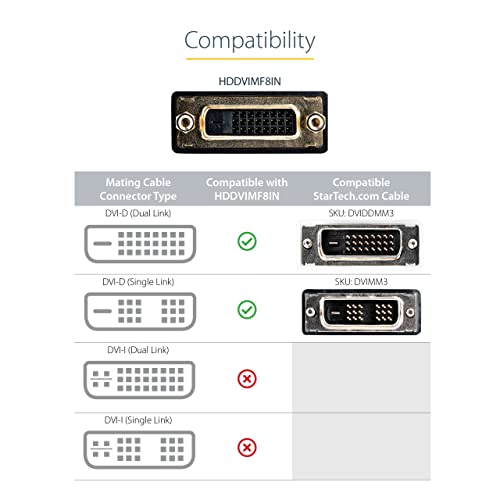
Great for converting the DVI-D monitor cable to an HDMI input to a compatible monitor. No drop in picture quality. Ideal for MAC or PC. I have read that there is extreme bandwidth reduction, well I am using a 4k display and I am getting full resolution. Folks remember there are a few types of DVI connections. see images please check you connection before you buy DVI-D ( this one )
Trustpilot
1 month ago
3 weeks ago