Buy anything from 5,000+ international stores. One checkout price. No surprise fees. Join 2M+ shoppers on Desertcart.
Desertcart purchases this item on your behalf and handles shipping, customs, and support to Sri Lanka.
🚀 Elevate your office workflow with speed, smarts, and seamless networking!
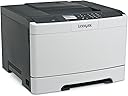
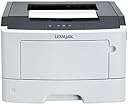
The Lexmark MS312dn is a compact monochrome laser printer designed for professional environments demanding speed and efficiency. Delivering up to 35 pages per minute with a rapid 6.5-second first page out, it features automatic duplex printing to reduce paper waste and a robust 800 MHz dual-core processor paired with 128 MB memory for smooth handling of complex documents. Network-ready via 10/100 Ethernet and equipped with a clear two-line LCD, it integrates effortlessly into office setups, backed by Lexmark’s reliable toner system and comprehensive warranty support.
| ASIN | B00JISNC46 |
| Additional Printer Functions | Print Only |
| B&W Pages per Minute | 35 ppm |
| Best Sellers Rank | #562,389 in Office Products ( See Top 100 in Office Products ) #759 in Laser Computer Printers |
| Brand | Lexmark |
| Built-In Media | Inkjet Multifunction Office Machine |
| Color | Dark Gray/Light Gray |
| Color Depth | 24 bpp |
| Compatible Devices | PC |
| Connectivity Technology | Ethernet |
| Control Method | App |
| Controller Type | iOS |
| Customer Reviews | 3.8 out of 5 stars 110 Reviews |
| Display Type | LCD |
| Dual-sided printing | Yes |
| Duplex | Automatic |
| Global Trade Identification Number | 00734646525374, 00807320199939 |
| Hardware Interface | Ethernet |
| Ink Color | black |
| Item Type Name | Lexmark MS312dn Mono Laser Printer |
| Item Weight | 30.85 Pounds |
| Manufacturer | Lexmark |
| Manufacturer Contact Information | Lexmark customer service at 800-539-6275 for technical assistance. |
| Maximum Copies Per Run | 576 |
| Maximum Copy Resolution Black and White | 1200 dpi |
| Maximum Copy Speed Black and White | 35 ppm |
| Maximum Media Size | 11 x 17 inch |
| Maximum Print Resolution Black and White | 1200 x 1200 dpi |
| Maximum Sheet Capacity | 850 |
| Model Name | Compact Laser Printer, Monochrome, Network, Duplex Printing |
| Model Number | 35S0060 |
| Model Series | MS312dn |
| Number of Ethernet Ports | 1 |
| Number of Trays | 2 |
| Other Special Features of the Product | Auto Document Feeder |
| Paper Size | 14 Inches |
| Power Consumption | 520 Watts |
| Print media | Card stock, Envelopes, Labels, Paper (plain), Transparencies |
| Printer Connectivity Type | Ethernet |
| Printer Output Type | Monochrome |
| Printer Type | Laser |
| Printing Technology | Laser |
| Processor Count | 2 |
| Resolution | 1200 x 1200 |
| Scanner Type | Sheetfed |
| Special Feature | Auto Document Feeder |
| Total USB 2.0 Ports | 1 |
| Total Usb Ports | 1 |
| UPC | 782386275288 799666156243 801201086639 734646525374 641438726119 012300863957 014445232599 014445089513 012306117412 012303541067 806792046758 807320199939 |
| Warranty Type | limited warranty |
| Wattage | 520 watts |
M**T
Solid! Plugged it into the Network and Viola!
As any person that has spent any time in a Technology field. Printers are job security for PC Techies and the bane of all others existence... I had not used Lexmark much in the past, so was not sure what to expect. We have had this printer for a short time but so far very impressed. The speed is excellent, the quality is excellent and more importantly, it has not had a technical issue yet. The setup (in terms of Network within a small office) was incredibly simple. Plugged it into the network (via CAT5 Cable), walked through the setup menu on the printer (i.e. English language, date, time, etc...). Opened one of the office laptops, ran install printer from network, it popped right up, clicked the printer to select it and Viola! Done! Excellent Printer. The starter cartridge seems to be hanging in after about 75 pages printed so far. Not too shabby on that front either...
N**L
DO NOT BUY! FAULTY CONSTRUCTION WHICH IS ADMITTED BY LEXMARK
Quotes from my chat with Lexmark the day I installed this machine, when it refused to feed any paper: LEXMARK: I will send a replacement pick tires. May I have the serial number of the machine? ME: Replacement pick-up tires? No. I'm not going to service a machine that I just opened. You can send a full replacement machine. LEXMARK: If I am going to send you a new machine, the issue might be the same since this is common with our new devices. This has something to do with the manufacturing. We are going to send you a pair of new pick tires which is not the same as the pick tires that comes with the new printers.
B**M
Great value for great printer
A great printer with laser sharp quality. Not sure it is compact for travel as it weighs a bit. However, for the price and quality of this product, you can't beat it
P**M
Was delivered without image unit and toner, but they made it Right.
I have had one of these printers for about 4 years, works great and is still working. My other Lexmark E260D died and this is to replace it. The important part of this specific printer is the LPT port (Centronix connector) and Postscript capabilities, I have a design package (about 30 years old) that run under DOS and need these features. This unit arrived without the Image Unit or Toner. A quick call to DN Printer Solutions and they apologized and shipped me the units. I just received them and put them in and it works like a charm. This was not shipped in the original container, looks new, might be refurbished, not sure, it was a very good price. The only reason I did not give them 5 stars is because of the missing parts. Update 2/2026 Just had a power failure and it blew out the printer, so I ordered another one, It has arrived and again it did not have the image unit and toner.
R**E
This is a great printer
For over 10 years we have used Brother laser printers connected to a "server" for our home network. Because that server is always on it uses power and is susceptible to hard drive corruption. I finally bit the bullet and went for a network printer. This was initially a little tricky because we were constantly rebooting the router (Tivo Mini network troubleshooting). Every time we did this, you'd have to run the setup routine or similar. When we figured out the Tivo problem and stopped messing with the network the printer has performed beautifully. It's super easy to set up for both wired and wireless access.
D**E
Great printer, make sure to read and update sequentially ...
Great printer , make sure to read and update sequentially all the firmwares , don't upgrade to the latest firmware , you have to install them one after another , but for the last 3 days I had no problem with it , except to install the driver twice! But it's working well
S**Y
Should be complete to use.
Must provide the laser ink cartridge.
J**T
Happy with this Printer after Paper Pick Up Issue Resolved with Rubbing Alcohol
I'm thrilled with this printer and its output. The one issue I did have was that I had to clean the paper pick up rollers with rubbing alcohol when I first got it - it wouldn't pick up the paper in the tray or the manual input slot until I did. Since then, there's been no problem with paper pick up. (This solution was listed on the Lexmark website.)
T**Y
was even better. I thought a Lexmark would be expensive
I bought this printer for home use, to replace a Samsung ML2850-series unit. It was hard to choose a brand, I was only sure that, because of their awful customer service, I would never buy another Samsung. My old Lexmark 450 at work printed thousands of pages a month for years, and its replacement, an MS415dn, was even better. I thought a Lexmark would be expensive, but the MS312dn I found on Amazon was offered at a great price and had several features in common with the bigger 415. My MS312dn was easy to unpack, appeared solidly built and was easy to install on my home network of macOS and iOS gear. I found a firmware update on the Net and the update process went well. The 312dn connects via Ethernet to the AirPort router. Wireless printing works perfectly over the network. Printing is fast, problem-free, and text and photo quality are way better than the Samsung's was. The downside of this printer is the cost of toner. Lexmark cartridges have a chip in them, apparently, which makes aftermarket refills and remanufacturing of cartridges hard to do and not really meant to be successful. There are some options, but not nearly as many as there are for other brands. I do so little printing, these days, that I change cartridges very seldom -- perhaps only every two or three years. At that rate I don't expect the cost of printing to be unaffordable, and I expect the machine to continue producing high-quality output with no trouble. I also expect customer service, should it ever be necessary, to be easier than the horrible runaround I got from Samsung.
J**S
Jesús Cortés
No funcionó el alimentador de hojas de la charola principal, la devolvi, compré otra máquina de otra marca. No la recomiendo
P**U
Ottimo!!
Ottimo!!!
Z**K
... for the Lexmark MS317 prints very little and is useless for small office or business
Printer uses high volume toner cartridge which costs same money as the one used for MS317 model but the cartridge for the Lexmark MS317 prints very little and is useless for small office or business. This model far superior to the newer MS317. This model both backward and forward compatible for ALL types of ports. Newer MX series no longer backward compatible.
K**M
No issues so far,
No issues so far, other then had to update the firm ware since it would be stuck in eternal sleep mode
Trustpilot
1 month ago
1 month ago